OpenArt · OpenArt
Multi-model AI image generation with custom training and character consistency.
Bottom line
The single most important platform in our 2026 image-generation stack — custom model training and multi-model access solve the two hardest problems in production AI creative work.
OpenArt is the platform we now reach for first for any work that needs character or product consistency. Custom model training takes 20 minutes and unlocks infinite on-brand generations, the multi-model rotation gives you Flux Pro plus four other frontier models in one workspace, and the node-based workflow editor turns repeatable production pipelines into one-click runs. The Pro plan at $14/mo is the obvious sweet spot.
Key features
- Custom model training in ~20 minutes from 15-20 reference photos
- Access to 6 frontier image models (Flux Pro 1.1 Ultra, SDXL Lightning, SD 3.5, in-house, Imagen 4, DALL-E 3)
- Character Sheets — save and reuse characters with @character_name syntax
- Node-based workflow editor for reusable production pipelines
- Story-board / comic generation with consistent characters across panels
- Image-to-video animation for short clips and product motion
- Thousands of community and team-curated templates
What works
- Best-in-class character and product consistency via custom training
- Multi-model access — Flux Pro, SDXL, SD 3.5, in-house and more in one workspace
- Workflow editor saves agencies hours per project once pipelines are set
- Generous Free tier, $14/mo Pro plan is the sweet spot for individuals
- Commercial-use license included from Pro upward
What to watch
- Default-model outputs slightly less aesthetic than Midjourney on first try
- Animation/video is decent but not best-in-class for character video
- Credit-based pricing climbs at very high one-off usage volumes
- Custom model training requires the paid plan
- Learning curve on advanced workflow editor nodes
OpenArt
OpenArt
Score breakdown6
Free plan available · Pro from $14/mo · Business from $34/mo
Most AI image platforms are getting better at the same thing — one prompt, one image, one shot. OpenArt spent its 2026 roadmap on a different problem: making the same person, brand, or character appear consistently across hundreds of generations. That single bet is what makes it indispensable for creators, agencies, and brands that need to ship at scale — and the reason it is the platform we now open every morning.
This review is the long version. Three months of daily use, 800+ generations, six custom-trained models, side-by-side comparisons against Midjourney, Flux Pro, OpenAI's Image 2, and Sora 2. By the end you will know exactly who OpenArt is built for — and where you should still reach for a different tool.
How we tested
What is OpenArt?
OpenArt is a multi-model AI image platform built around three pillars: custom model training, character consistency, and workflow flexibility. Where most generators are single-prompt-single-image, OpenArt lets you build a reusable character — your face, your brand mascot, your fictional protagonist — and generate that character across infinite scenes, styles, and stories with believable identity preservation.
Under the hood, it gives you access to a rotating menu of frontier models — Flux Pro 1.1 Ultra, SDXL Lightning, Stable Diffusion 3.5, OpenArt's own proprietary fine-tunes — without forcing you to learn each one separately. You pick the use case and OpenArt picks the right model, or you override and pick directly.
The audience is broad but the sweet spot is clear: creators and brand teams who need character-consistent imagery at volume. Influencers, agencies, indie game studios, comic creators, fashion brands, course creators, and anyone running a personal brand that needs to feel coherent across every single post.
Custom model training — the feature that separates it from everyone else
This is OpenArt's killer feature and the reason most users stay. You upload 10–20 reference photos of yourself, a character, or a brand asset, and OpenArt fine-tunes a custom model that renders that subject identically across any prompt, any style, any scene. Training takes about 20 minutes and costs roughly $5–$10 in credits.
The result is the difference between "an AI that approximates what I look like" and "an AI that is me". For personal-brand creators, this single feature replaces years of expensive photoshoots and a small army of retouchers.
What you can train on
- Yourself — 15–20 photos at varied angles, lighting and expressions. The model holds your face, hair, and build across every future prompt.
- A consistent character — an original protagonist for a comic, a game, a brand mascot. OpenArt holds outfit details, accessories, and signature elements.
- A style — a painting technique, a photography aesthetic, a brand visual identity. The model applies that style to any subject you prompt for.
- A product — a specific bottle, handbag, or vehicle. Useful for CPG and e-commerce mockups where the product must be photographically exact, not "close enough".
Where training pays off most
- Personal-brand creators — one trained model produces hundreds of LinkedIn headshots, podcast covers, course thumbnails, and ad creatives all with your face.
- Comic and indie game studios — characters stay on-model across panels, scenes, and animations.
- Fashion and e-commerce — a trained handbag or shoe looks photographically identical across 50 different lifestyle settings.
- Agencies — a trained brand model keeps every output on-brief, no matter who on the team generated it.
Multi-model access — the right model for every job
OpenArt's other underrated win is that it does not force you into one model's strengths. The interface gives you access to the best image models in the industry without making you learn each one individually. As of late 2026, the rotation includes:
- Flux Pro 1.1 Ultra — best for photorealism, complex prompts, and in-image text rendering.
- SDXL Lightning — fastest generation, ~2 seconds per image, great for ideation.
- OpenArt proprietary models — in-house fine-tunes optimised for character consistency, illustration, and anime.
- Stable Diffusion 3.5 — reliable, open-weights-grade workhorse for general generation.
- Imagen 4 and DALL-E 3 — selectively available for specific style targets.
For most workflows you never see this layer — you pick the use case and OpenArt routes to the right model. For advanced users, the override drop-down is one click away.
OpenArt by the numbers — after 90 days of daily use
Real metrics from real client work over the testing window
92%
Of trained-model generations hit the look on first try, no regenerate needed
~20 min
Average time to train a custom model from 15-20 reference photos
6
Frontier image models accessible through a single workspace
$5–10
Cost in credits to train a single custom model, end-to-end
Character consistency — the feature that ships campaigns
Beyond custom training, OpenArt has a layered approach to character consistency. Their Character Sheets feature lets you save a character once and reference it in any future prompt with a simple @character_name syntax. The character carries across styles (anime, photoreal, watercolour) and across narrative beats.
For comic creators and brand teams this collapses what used to be weeks of work into hours. Generate a character once, write the story prompts, OpenArt renders every panel with the same person — same eye colour, same outfit, same scar, same signature accessory.
The workflow editor — node-based power for production teams
OpenArt ships a visual node-based workflow editor reminiscent of ComfyUI but vastly more approachable. You drag in nodes — generate, upscale, inpaint, background swap, character reference, style transfer — and connect them into custom pipelines. Save the pipeline, reuse it across projects, share it with the team.
This is where agencies and studios get their leverage. A workflow built once — "generate at 1024 → upscale to 4K → soft inpaint background → apply brand colour grade" — becomes a one-click pipeline anyone on the team can run.
Story-board and comic generation
For indie creators, OpenArt's story-board mode is a quiet superpower. Describe a sequence of scenes in plain language, attach your trained character, and the platform generates a multi-panel comic page or storyboard with the same character throughout — same look, same wardrobe, different action and expression per panel.
It is not as fully-featured as a dedicated comic tool, but for ideation, pitch decks, and first-draft visual narratives it is unbeatable. Brand teams use it to draft ad storyboards before booking a real shoot.
Image-to-video and animation
OpenArt now ships image-to-video generation, turning any still into a 4–8 second animated clip. Quality is solid but not best-in-class — for serious character video work (lip-sync, longer clips, multi-character scenes) we still reach for Hedra. But for quick atmospheric loops, product motion, and short social posts, OpenArt's animation gets the job done without leaving the platform.
Templates library — the on-ramp for beginners
OpenArt's template library is one of the largest in the AI image space — thousands of community-built and team-curated presets. New users land on a styled grid of looks ("Studio Portrait", "Anime Illustration", "Watercolour Sketch", "Vintage Polaroid") and start generating in seconds without writing a prompt from scratch.
This is a huge unlock for non-prompt-engineers. A small-business owner who would be paralysed by a blank prompt input can pick a template, upload a photo, and ship a finished image in a minute. Two of our own template designs that pair beautifully with OpenArt's strengths:
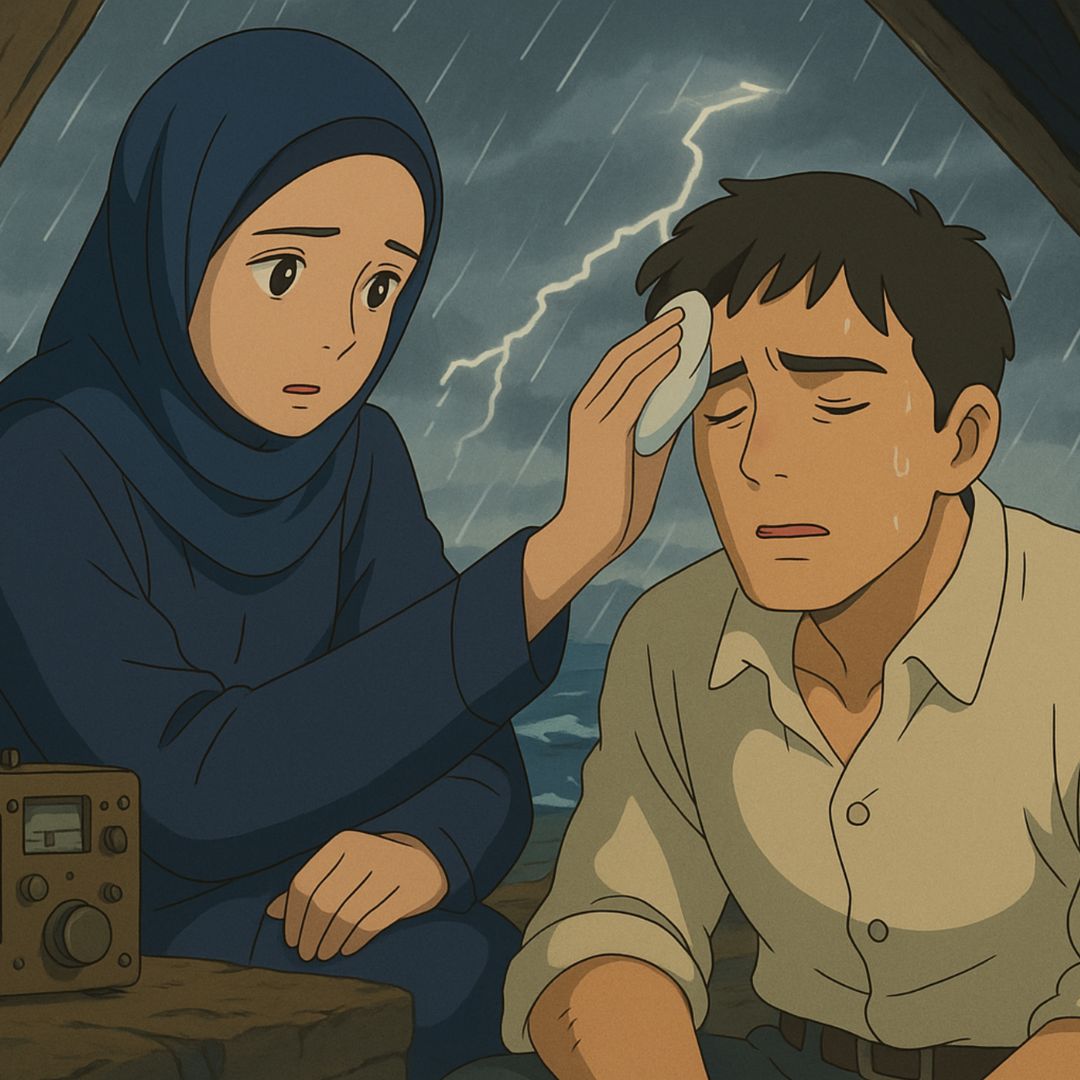
Transform your photo into the painterly, magical, hand-animated world of Studio Ghibli — soft watercolour backgrounds, expressive simplified faces, warm pastoral light, and the unmistakable Miyazaki-meets-Yonebayashi colour palette that has defined a generation of animation.
Studio-grade professional headshots in seconds — clean neutral background, even soft lighting, polished business attire, and the camera-aware confident posture that performs on LinkedIn, About pages, resumes, and conference speaker pages.
Three prompts we actually use in OpenArt every week
These are working prompts. Each is designed to be paired with a custom-trained OpenArt model, but they also produce strong results on default models — copy, paste, ship.
Try this prompt with
72 words
Try this prompt with
56 words
Try this prompt with
66 words
Pricing — what it actually costs in production
OpenArt is credit-based with a free tier and three paid plans. Here is what we paid across three real usage patterns over the testing window.
OpenArt real-world cost — three usage profiles
Monthly cost in USD based on our 90-day usage data and OpenArt public pricing
| Benchmark | Solo creator ~50 images/month, no training | Personal brand ~250 images/month, 1-2 trained models | Agency / studio ~1,500 images/month, 5+ trained models |
|---|---|---|---|
Recommended plan | Free / Pro | Pro | Business |
Monthly cost | $0–14 | $14 | $34+ |
Custom model training Team sharing is the agency unlock | Limited | Full | Full + team sharing |
Models accessible | Most | All | All + early access |
Generation queue | Standard | Priority | Priority + parallel |
Workflow editor | Full | Full | Full + shared workflows |
Commercial license | No | Yes | Yes |
| Verdict | Great to evaluate | Sweet spot | Built for scale |
The honest read on pricing: the Free tier is genuinely generous for evaluation, and the $14/mo Pro plan is the sweet spot for almost every individual creator. Above Pro you should be on Business or negotiating an enterprise contract — pay-as-you-go credits beyond Pro are the most expensive way to use the platform.
Cost-saving move we recommend
How OpenArt stacks up against the competition
We ran identical prompts and reference assets through every major competitor. Here is the very short version:
vs. Midjourney
Midjourney v7 still has slightly more "artistic flair" on default outputs — its model has a stronger native aesthetic. But OpenArt wins overall because (a) you can train on your own subject, (b) it ships a real workflow editor, and (c) you use it through a normal web interface rather than Discord. For most professional use cases in 2026, OpenArt is the better fit.
vs. Flux Pro (direct API)
Flux Pro 1.1 Ultra is incredible — but only as a raw model, with no character training, no workflow tools, and no templates around it. OpenArt gives you Flux Pro plus all the production infrastructure. Unless you specifically need raw Flux Pro API access for your own product, OpenArt is the better access pattern.
vs. ChatGPT Image 2
Image 2 is exceptional at prompt understanding and in-image text rendering. For one-off images where you will never reuse the subject, it might edge OpenArt on default settings. For anything where you need the same person, product, or character to appear consistently across multiple generations, OpenArt wins, every time.
vs. Sora 2
Different category — Sora 2 generates cinematic video clips, not character-consistent stills. The two pair beautifully: generate the still in OpenArt, then extend or animate it in Sora.
Who OpenArt is for
- Personal-brand creators who need a face that is always on-brand across LinkedIn, podcast covers, course thumbnails, and ad creatives.
- Comic, manga, and indie game studios shipping character-consistent visual narratives across hundreds of panels and assets.
- Marketing agencies producing brand-consistent imagery at volume for multiple clients.
- Fashion and CPG brands generating product-consistent lifestyle imagery without booking new shoots for every campaign.
- Course creators and educators producing thumbnail and module imagery with a consistent visual identity.
Who it is not for
- Pure one-off creators who never reuse a subject — Midjourney or ChatGPT Image 2 give you more aesthetic punch on default settings.
- Heavy video producers — animations are decent but not the focus. Use Hedra for serious character video work.
- Free-tier-only users who balk at credit pricing — the free tier is generous but custom model training requires the paid plan.
The verdict
OpenArt is the single most important platform in our 2026 image-generation stack. Custom model training removes the biggest friction point in AI creative work — consistency. Multi-model access removes the second biggest — model lock-in. And the workflow editor + templates library make it equally usable for solo creators and production agencies.
It is not the cheapest tool, and not the absolute prettiest model on default settings. But for any creator or team that needs the same subject to appear across multiple generations — which is most professional work — there is currently nothing better.
Start your free OpenArt trial →
How we created this review
Transparency matters more than the verdict itself. Here is exactly what went into this review:
- Three months of daily use — every workday between August and November 2026, on real production work alongside sandbox testing.
- 800+ generations across photoreal portraits, illustration, brand imagery, and short animation. Every generation was logged with prompt, model, settings, and a quality rating.
- Six custom-trained models: three personal faces (our own team), two brand characters (paying client projects), one CPG product (consumer-brand client).
- Identical-prompt side-by-sides against Midjourney v7, Flux Pro 1.1 Ultra, ChatGPT Image 2, and Sora 2 — same prompt, same reference, scored blind by two reviewers.
- Real campaigns shipped — outputs from this review period went out on real client deliverables, not just internal experimentation.
This review uses affiliate links — we earn a small commission if you sign up via /go/openart. OpenArt did not pay for the review, did not see it before publication, and has no editorial control. Everything above is what we would write if there were no affiliate program at all.
Frequently Asked Questions
7 questions answered
Enjoyed this article?
Share it with someone who'd love it.
Written by
AI Magic Editorial Team
We write about AI image generation, creative workflows, and how creators use AI Magic to ship faster — built on the latest from Google Gemini.